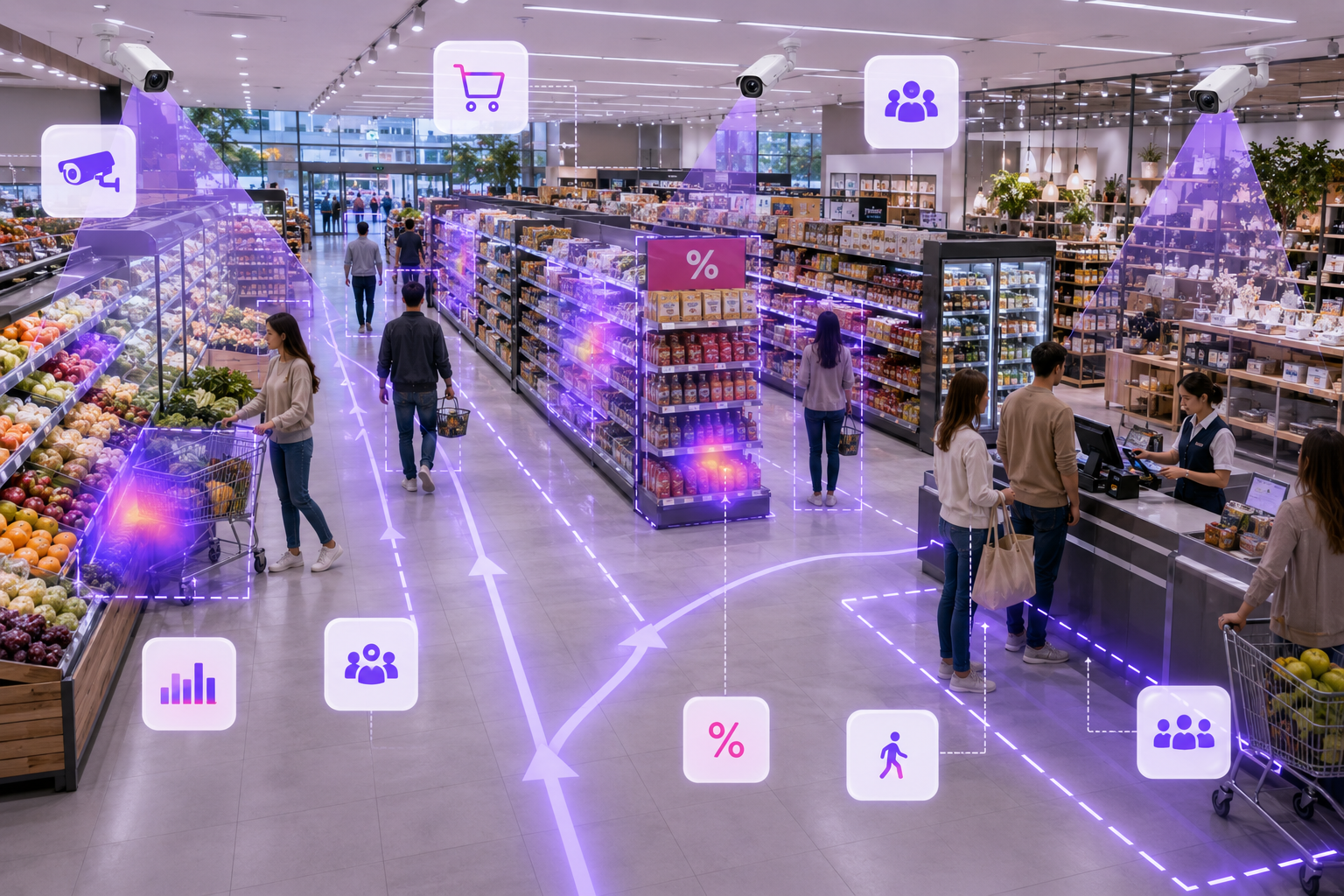
Your Security Cameras Already See Your Store. Now Make Them Understand It.
Turn compatible existing cameras into foot-traffic, conversion, queue, zone and safety insights. See where shoppers engage, where sales opportunities are lost and what needs attention across your store.
Your existing cameras. Retail, operations and safety intelligence. Proven on your own footage before you buy.
Today’s Visitors
143
+12%
Peak Hour
4–5 PM
31 visitors
Average Visit
18 min
+2.4 min
Queue Alerts
3
1 resolved
High-Interest Zone
Footwear
28 min dwell
Sales Transactions
39
27.3% conversion
Traffic vs Sales
Hourly comparison
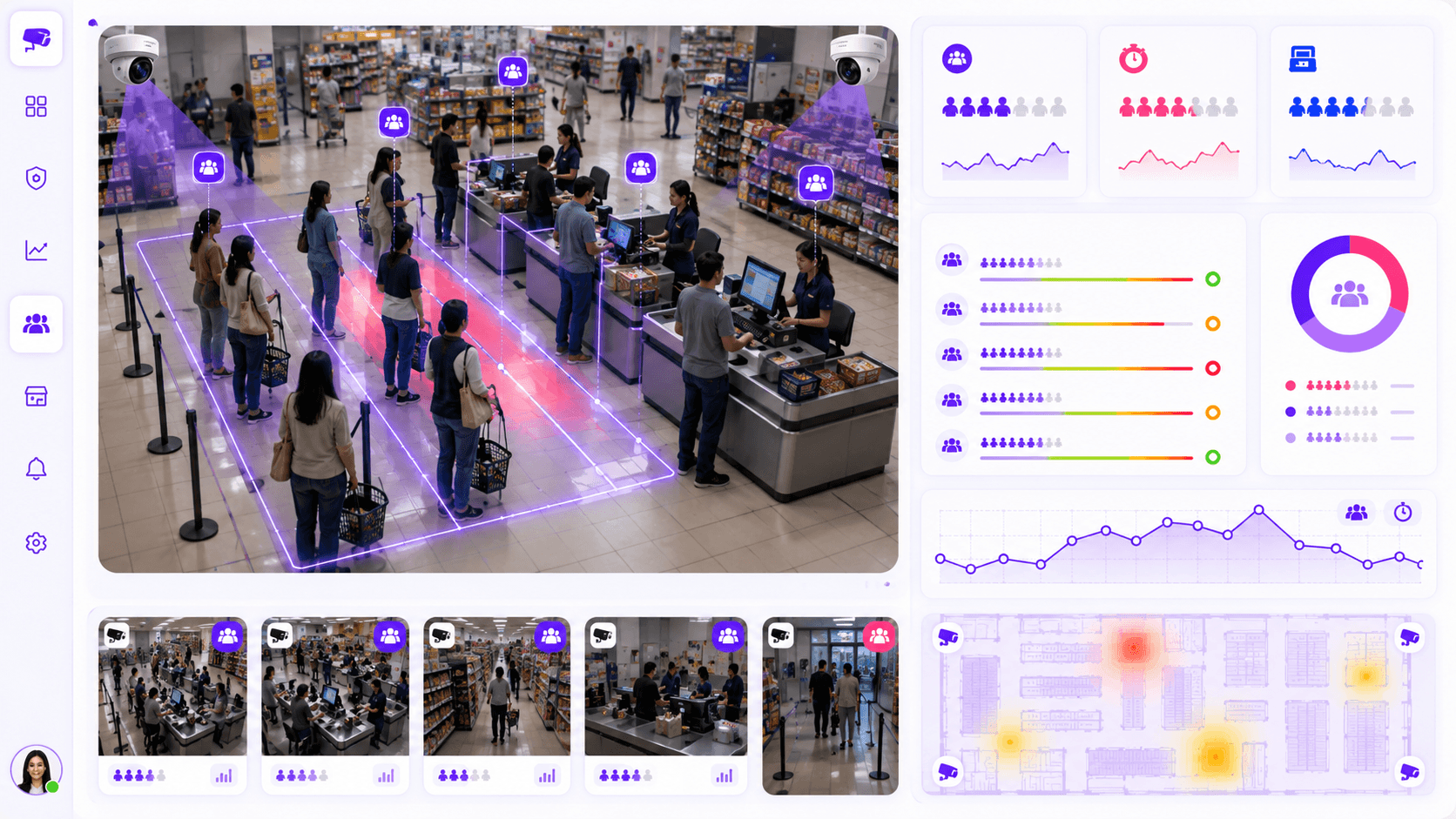
Checkout · Camera 04
Threshold crossed 2m ago
Your store. Your footage.
Schedule Your Store Video Analysis.
Send us the details of one representative camera view. We’ll help you choose a short, authorized clip and show what KVABI may be able to extract from your environment.
Tell us about the store
Share your goals, camera count and current setup.
Choose representative footage
We provide secure instructions after the initial review.
Review the findings together
See useful insights and a practical next-step recommendation.
The retail visibility gap
Your POS Tells You What Sold. What About Everything That Didn’t?
How many people entered your store today?
How many became customers?
Which areas attracted the most attention?
When did checkout queues form?
What happened while you weren’t there?
What KVABI can show you
Answers You Can Use Before the Next Shift Starts.
KVABI organizes camera activity into practical store signals, so an owner can act without watching hours of footage or hiring a data team.
Foot traffic and peak hours
See entries, exits, occupancy and hourly or daily traffic patterns.
Conversion intelligence
Compare visitors with sales, add optional POS context and find shopper drop-off.
Heatmaps and dwell
Find high-interest zones, ignored displays and where customers spend their time.
Queues and service
Review queue length, wait time, congestion and pressure at checkout counters.
Store exceptions
Surface configured events such as after-hours movement, restricted areas or unattended counters.
Searchable evidence
Review events by time, camera and zone with the supporting snapshot or clip.
Your store at a glance
See the Store Your POS Can’t See.
Illustrative dashboard using realistic sample data. Your configured metrics depend on camera suitability and deployment scope.
Today’s Visitors
143
+12%
Peak Hour
4–5 PM
31 visitors
Average Visit
18 min
+2.4 min
Queue Alerts
3
1 resolved
High-Interest Zone
Footwear
28 min dwell
Sales Transactions
39
27.3% conversion
Traffic vs Sales
Hourly comparison
Checkout · Camera 04
Threshold crossed 2m ago
Retail outcomes
Intelligence That Supports Better Store Decisions.
Grow
See where customer attention can become commercial opportunity.
Optimise
Match staffing and store operations to what is actually happening.
Protect
Bring important visual events to the right person sooner.
Optional safety intelligence
AI-Assisted Safety Awareness.
KVABI can analyze suitable camera views for a potential visible weapon and send an event with the camera location, timestamp and visual evidence for immediate human review.
Detection depends on visibility, camera quality, distance, lighting and occlusion. It cannot guarantee identification of every weapon and does not replace trained personnel or emergency procedures.
Potential visible weapon
Human review required
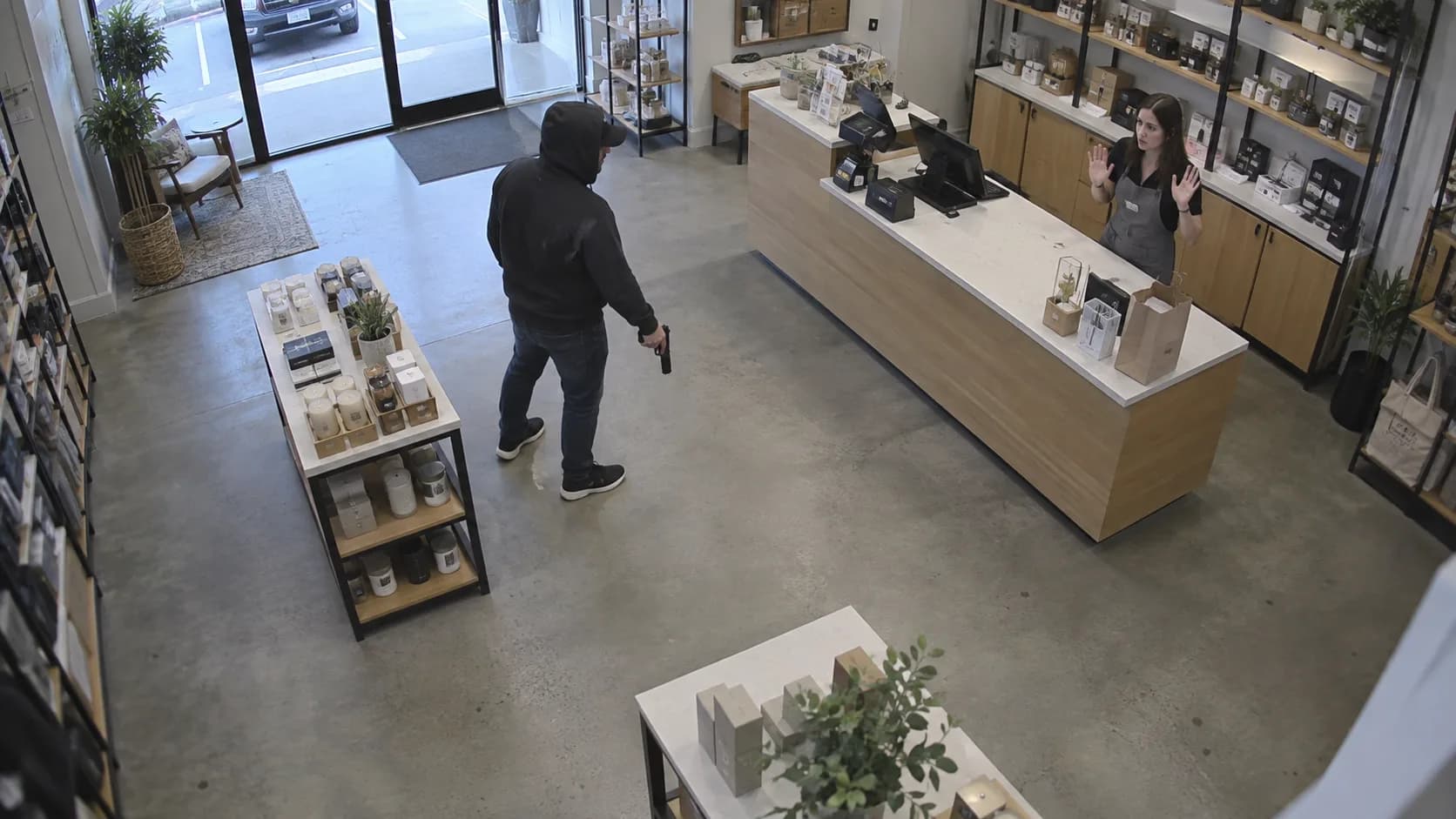
Camera
Front entrance · 02
Time
3:42:18 PM
Location
Sales floor
Next action
Review and follow store protocol
Existing-camera compatibility
No Need to Start Over.
Your existing camera system may already contain the visual information KVABI needs.
Compatibility depends on camera quality, position and coverage. KVABI will evaluate the existing setup before recommending changes.
Existing Cameras
Your supported camera or NVR streams
KVABI
Visual intelligence configured for your goals
Store Intelligence
Dashboards, alerts and useful evidence
How it works
From Camera to Insight in 3 Steps.
Connect
Connect compatible cameras or begin with authorized sample footage.
Understand
KVABI analyzes traffic, movement, dwell, queues and configured events.
Improve
Use dashboards, alerts and reports to make better store decisions.
Customer-video validation
Don’t Take Our Word for It. Test Your Own Store.
Tell us about one of your existing store cameras. We’ll help you select a short sample and show what KVABI can extract from your environment.
Your review includes:
Camera compatibility summary
Three example insights from representative footage
Visibility gaps or scene limitations
A practical first-pilot recommendation
Your footage. Your store. No generic product demo.
Authorized footage only
You confirm that you have permission to provide the footage.
No public video upload
Secure transfer is discussed after we review the request.
Scheduled with a specialist
Choose a preferred date, time window and U.S. time zone.
Platform validation
Visual Intelligence Proven in Real Environments.
These deployments validate real camera compatibility, event workflows and reviewable evidence. They are not presented as U.S. retail testimonials.
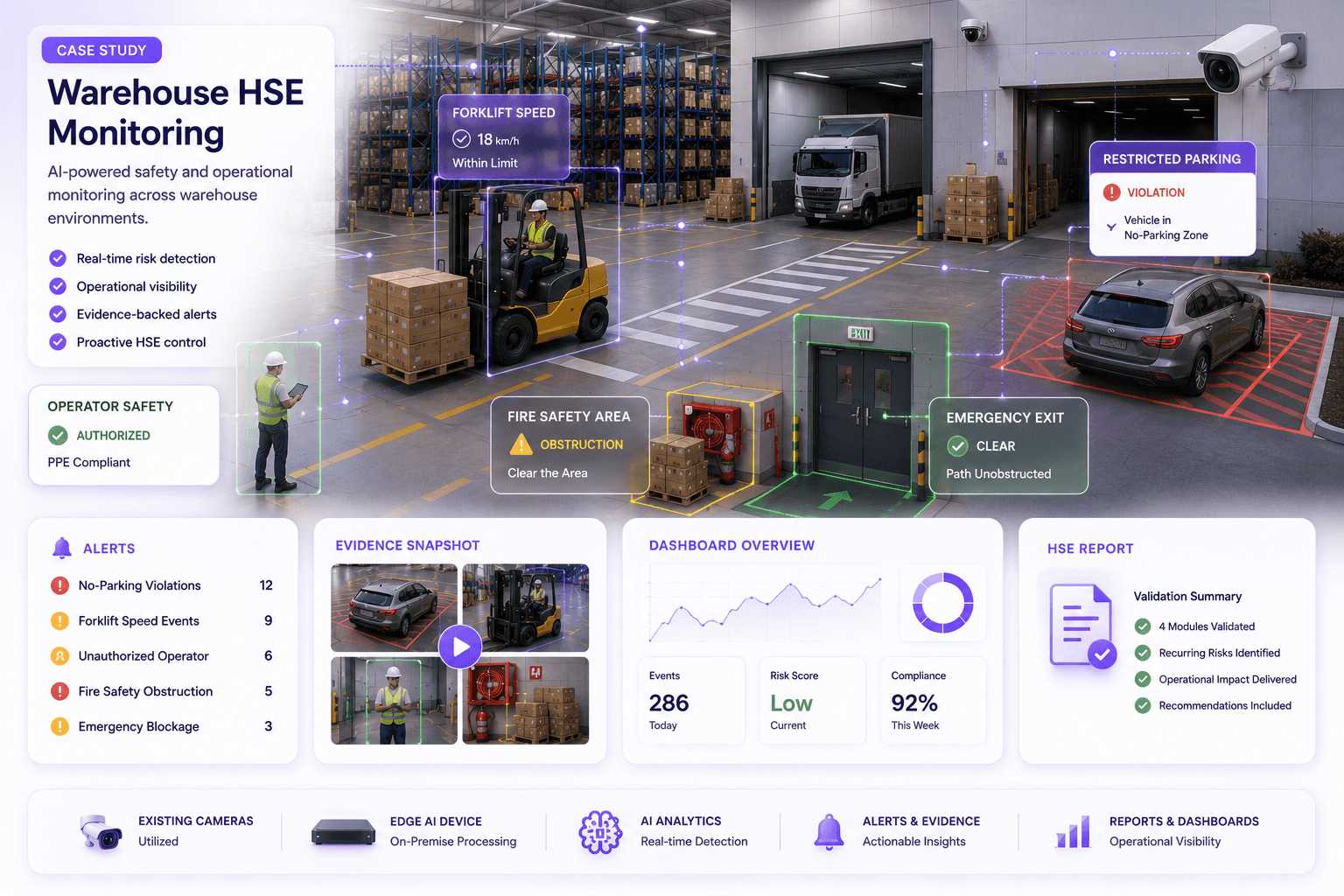
Warehouse HSE pilot
Continuous operational-event monitoring
Validated configured safety, restricted-zone and operational workflows across live warehouse environments.
Review validation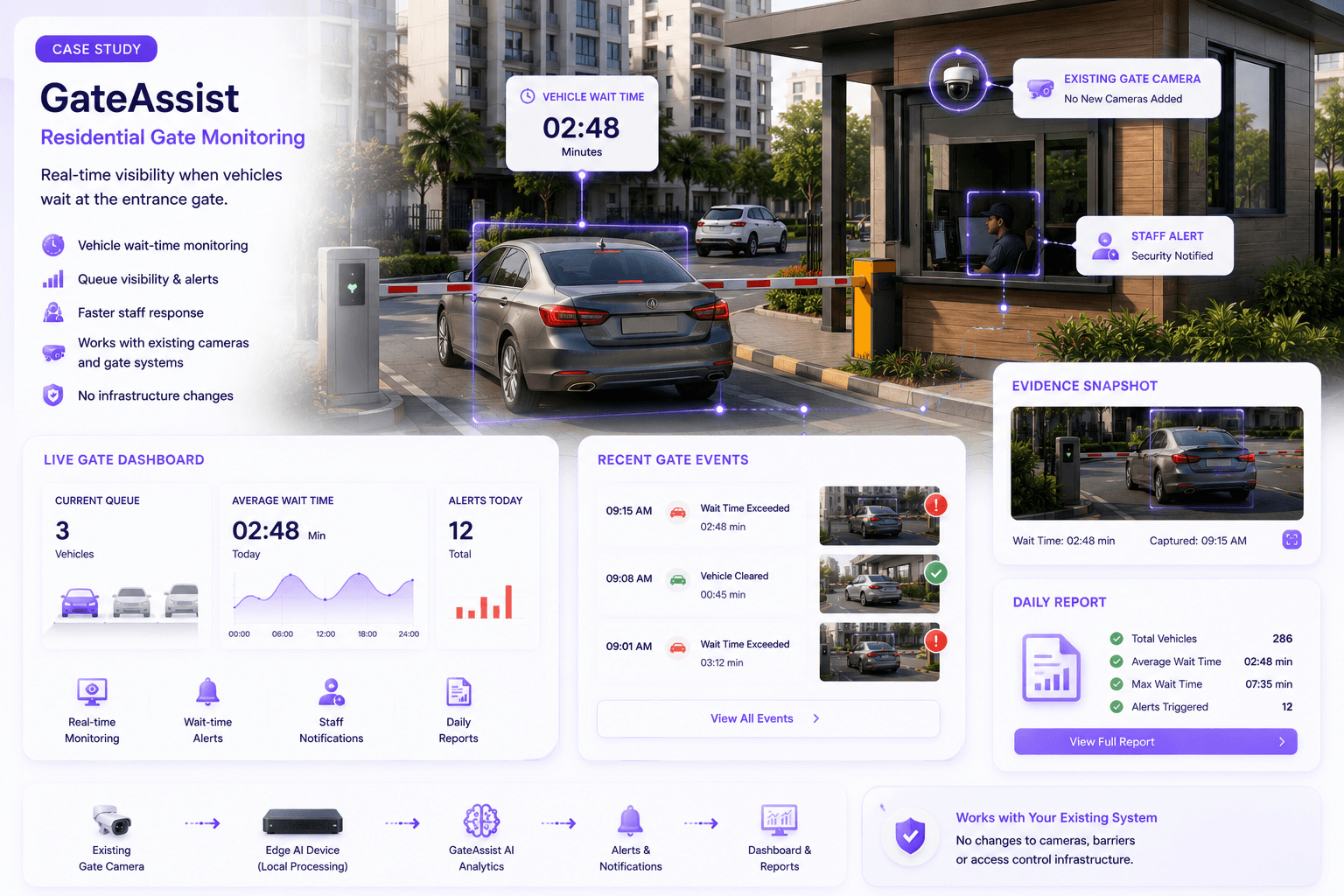
Residential gate pilot
Camera event to actionable workflow
Validated a vehicle wait-time workflow with reviewable events under real gate conditions.
Review validation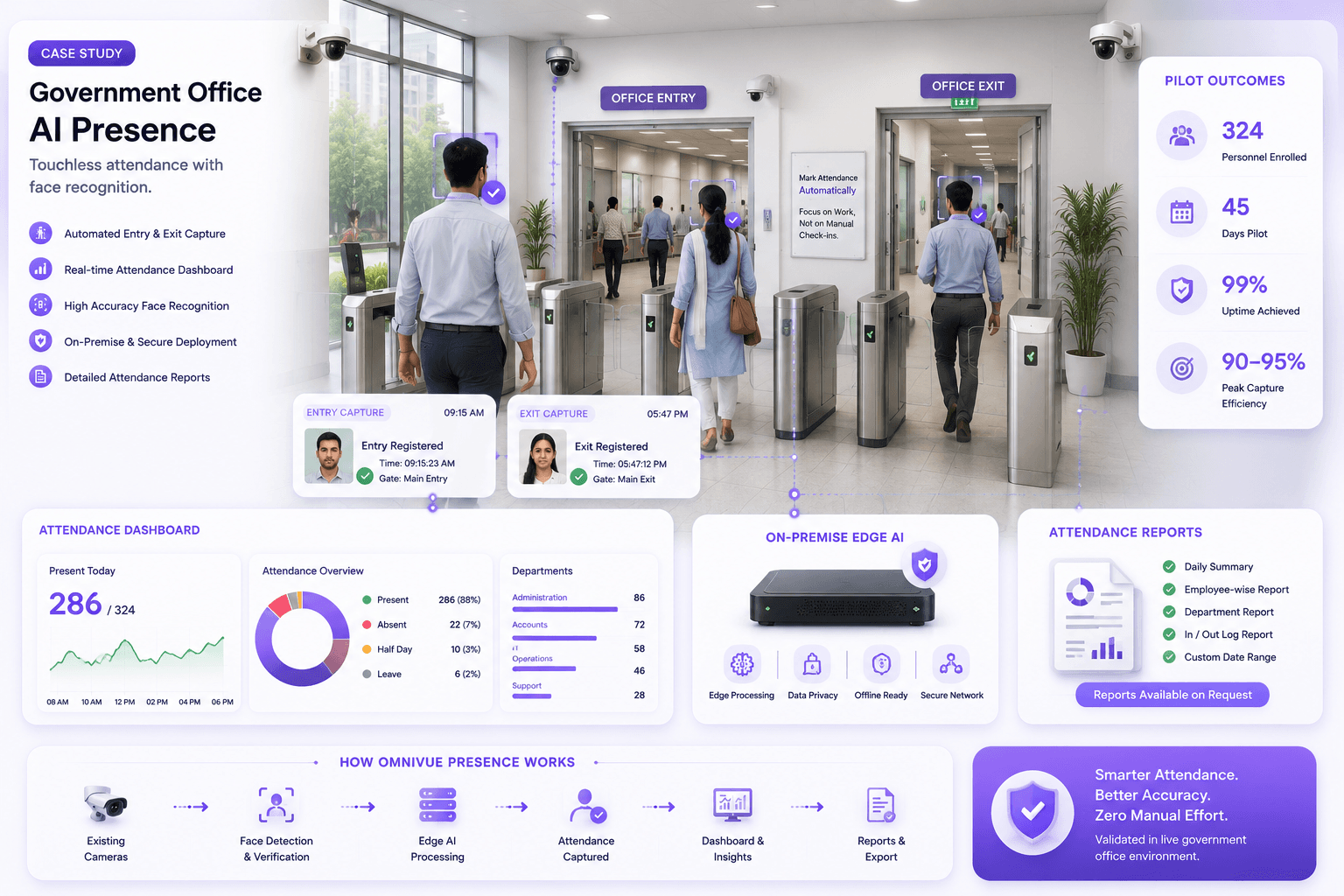
Government office pilot
Real-world camera feasibility
Validated passive camera-based attendance while identifying the effect of lighting, angles and movement.
Review validationBuilt for independent stores
Simple monthly pricing based on camera count and enabled intelligence.
Start with one store and selected cameras. We’ll recommend a practical scope after reviewing your store, cameras and desired outcomes.
FAQ
Practical answers before you evaluate.
Do I need to replace my existing cameras?
Not necessarily. KVABI can work with compatible existing camera streams. We first review image quality, camera angle, lighting, coverage and access to the video stream before recommending any changes.
Which camera brands work with KVABI?
KVABI is designed to work with many standards-based IP cameras, NVRs and VMS platforms, including systems that provide supported ONVIF or RTSP streams. Compatibility is confirmed during the camera review.
Do I need a server in my store?
It depends on the number of cameras, internet connectivity, privacy requirements and enabled intelligence. KVABI can support edge, on-premise, cloud-assisted or hybrid deployment designs.
Does KVABI record my video?
Retail Intelligence can analyze supported camera streams and create configured events, metrics and evidence. Video recording is optional and depends on whether KVABI VMS or another supported recording system is part of the deployment.
Can KVABI connect to my POS?
POS integration may be available where the POS provider offers a supported API or export. We review the specific system and the business question before recommending an integration.
Can I use KVABI without POS integration?
Yes. Footfall, dwell, zone activity, queue conditions and configured visual alerts can operate without POS integration. POS data can add conversion and transaction context when available.
How does AI-assisted potential weapon detection work?
KVABI can analyze suitable camera views for a potential visible weapon and raise an event for human review. Performance depends on visibility, distance, lighting, occlusion, camera quality and how the object appears in the scene.
Can KVABI guarantee detection of every weapon?
No. AI-assisted potential weapon detection is an awareness aid, not a guarantee or replacement for trained personnel, emergency procedures or law-enforcement response.
How long does setup take?
A focused evaluation can begin after camera compatibility, access and objectives are confirmed. Production timing depends on camera count, deployment model, integrations and site readiness.
Can I try KVABI before buying?
Yes. Start with a store-video analysis using authorized sample footage. If the footage is suitable, we can demonstrate the insights KVABI can extract and recommend a focused pilot.
What happens to video I send for analysis?
Do not upload footage through this public page. After reviewing your request, the KVABI team will provide approved secure-transfer instructions and explain the applicable access and retention process before you send anything.
How much does KVABI cost?
Pricing is based on the number of cameras, enabled intelligence, deployment model and support requirements. We will prepare store-specific pricing after the initial review.
See what your store can tell you
Your Cameras Are Already Watching Your Store. Let KVABI Help You Understand It.
Questions? Call +1 (612) 800-2533 or email sales@ennoverse.ai.